
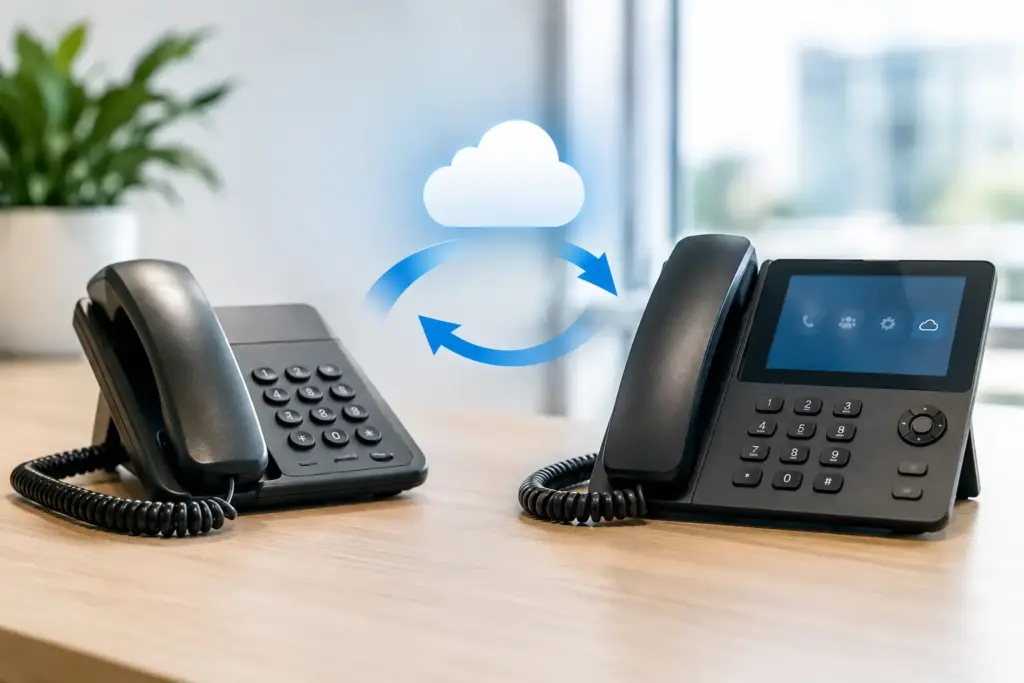
The old phone bill usually tells the story before anyone says it out loud: several analog lines, confusing charges, features nobody uses, and a contract that makes changing anything feel expensive. When you migrate analog lines to VoIP, you are not simply replacing dial tone. You are moving business-critical calling onto your data network, where it can be managed, monitored, and built around how your team actually works.
For a small or midsize business, that can mean lower monthly costs, better call routing, mobile access, call reporting, and fewer vendors to chase when something breaks. But a careless migration can also mean missed calls, failed fax transmissions, unreliable 911 location information, or a front desk left staring at phones that cannot register.
The answer is not to avoid VoIP. It is to treat the move as an operational project, not a quick equipment swap.
Why businesses migrate analog lines to VoIP
Traditional analog service, often called POTS, was built for a time when one copper pair meant one phone line. Adding capacity required more physical lines. Moving an employee meant changing wiring. Features such as auto attendants, ring groups, voicemail-to-email, and remote extensions either did not exist or came with extra carrier charges.
VoIP changes that model. Calls travel over an internet connection, while a hosted PBX handles the logic behind them. A receptionist can transfer a call to a warehouse, a home office, or a mobile app without the caller needing to know where anyone is located. Teams can add an extension without waiting for a carrier truck roll.
That flexibility matters, but it is not automatic. VoIP is only as dependable as the network, power, configuration, and provider support behind it. Anyone promising that every analog line should be converted without an assessment is selling first and thinking later.
Start with an honest line audit
Before you request a quote or select phones, identify every analog line and what it does. Do not assume the lines on your invoice are all desk phones. Businesses regularly discover that analog circuits are still supporting alarm panels, elevator emergency phones, intercoms, fax machines, debit terminals, gate controllers, postage equipment, or legacy monitoring devices.
Document the phone number, physical location, monthly cost, carrier account details, connected device, peak usage, and business owner for each line. Then separate lines into three categories: numbers that should port to the new VoIP platform, services that need a specialized replacement, and services that can be retired.
Pay particular attention to these four areas:
- Main published numbers: These need a carefully planned port so customers keep reaching the same business.
- Alarm and life-safety devices: Confirm compatibility with the alarm company and local code requirements. An analog telephone adapter is not always the right answer.
- Faxing: Some fax machines work over VoIP, while others do not. Electronic faxing or a dedicated protocol may be a better fit.
- Elevator and emergency phones: These need reliable power, verified calling behavior, and location information that meets applicable requirements.
This audit is where cost savings become real. It also prevents the classic migration surprise: the office phones work, but the alarm communicator stops reporting after hours.
Decide what the new phone system must do
Do not rebuild the old setup just because it is familiar. A five-line analog system may have forced staff to put callers on hold, shout across the office, and transfer manually. A hosted PBX can do more, but features should solve a real problem rather than create another dashboard nobody maintains.
Map the call flow from the customer’s perspective. What happens when someone calls the main number during business hours? Who answers after hours? What should happen when the sales team is busy, the office loses power, or a key employee is working remotely? Define ring groups, call queues, voicemail routing, auto attendant options, holiday schedules, and escalation rules before cutover day.
For many organizations, the right design is simple: a main number, clear department options, a few ring groups, and mobile access for staff who need it. A busy medical office, legal practice, dispatch operation, or contact center may need call recording policies, reporting, queue controls, and supervisor tools. The system should fit the workload, not a generic feature checklist.
Check the network before moving analog lines to VoIP
A VoIP phone system does not require an enormous internet connection, but it does require a stable one. Voice is sensitive to delay, packet loss, and jitter. A connection that feels fine for web browsing can still produce choppy calls when large uploads, cloud backups, video meetings, or guest Wi-Fi traffic compete with voice.
Test the internet service at the business location during normal busy periods, not only after everyone has gone home. Review upload and download capacity, latency, packet loss, router performance, and Wi-Fi coverage if wireless phones are involved. Quality of Service rules can prioritize voice traffic, but they cannot repair an undersized or unstable connection.
Resilience deserves the same attention. If internet access fails, where should incoming calls go? A hosted system can often forward calls to mobile devices or an alternate location. That helps, but it is not a substitute for planning. Businesses that cannot afford extended downtime may need a secondary internet circuit, fixed wireless backup, or an LTE failover option.
Power is the other half of the equation. Analog lines often continued working during local power outages because the copper network supplied power. IP phones, switches, routers, and internet equipment generally do not. A properly sized UPS can keep essential communications online through short outages. Longer outages may require a generator, call forwarding plan, or both.
Handle number porting without creating a service gap
Porting is the process of moving your existing phone numbers from the current carrier to the VoIP provider. It is routine, but it is not instant. Timelines depend on the losing carrier, the account details, the type of service, and whether the number is tied to a complex analog circuit.
The rule that prevents most porting disasters is simple: do not cancel the old service before the port is complete. Cancellation can release the number, interrupt the order, or make recovery painful. Keep the existing service active until you have confirmation that the numbers have moved and incoming calls are reaching the new system.
Provide the account information exactly as it appears on the carrier bill. A minor mismatch in the business name, service address, billing telephone number, or account number can delay the port. If you are moving a main number, schedule the cutover during a lower-volume period and make sure someone has authority to test every call path when it happens.
A temporary number can be useful during setup. It lets staff test phones, call flows, voicemail, and mobile apps before the public numbers move. That gives your team a chance to fix configuration issues without customers hearing them first.
Test like a customer, not like an installer
Before the port date, test internal calling, transfers, hold, voicemail, outbound calling, caller ID, conference calls, and mobile applications. Then test the situations businesses tend to overlook: a caller choosing the wrong menu option, a call arriving after hours, a queue overflow, and an employee who does not answer.
Emergency calling needs its own test and review. Confirm the registered emergency address for every location and understand how remote users are handled. Do not place a live 911 test call without following the procedures used by your provider and local emergency services. The goal is to verify that your business has accurate location data and a clear internal process.
After cutover, monitor call quality and user feedback for the first several days. Most issues are not dramatic failures. They are smaller configuration mistakes, such as a voicemail notification going to the wrong inbox or a reception phone missing a ring group. Fixing them quickly is what makes the new system feel dependable.
Choose support that does more than open tickets
The biggest difference between a smooth VoIP migration and a frustrating one is usually not the handset brand. It is whether you can reach someone who understands phones, networks, number porting, and business continuity when a problem appears.
Ask prospective providers who designs the call flow, who validates the network, who coordinates the port, and who answers after the sale. Ask whether you will be tied to a long contract, whether service changes require a sales process, and whether technical support can actually make changes. Vague answers are an answer.
CloudconneXions works with businesses that are tired of carrier runaround because phone service should not become another vendor-management headache. The right partner will tell you when an analog device should stay analog, when it needs a purpose-built replacement, and when your internet connection needs attention before the first phone is installed.
A well-planned move gives your business more than a modern phone system. It gives your team a communications setup that can keep working when the office, schedule, or business itself changes.