
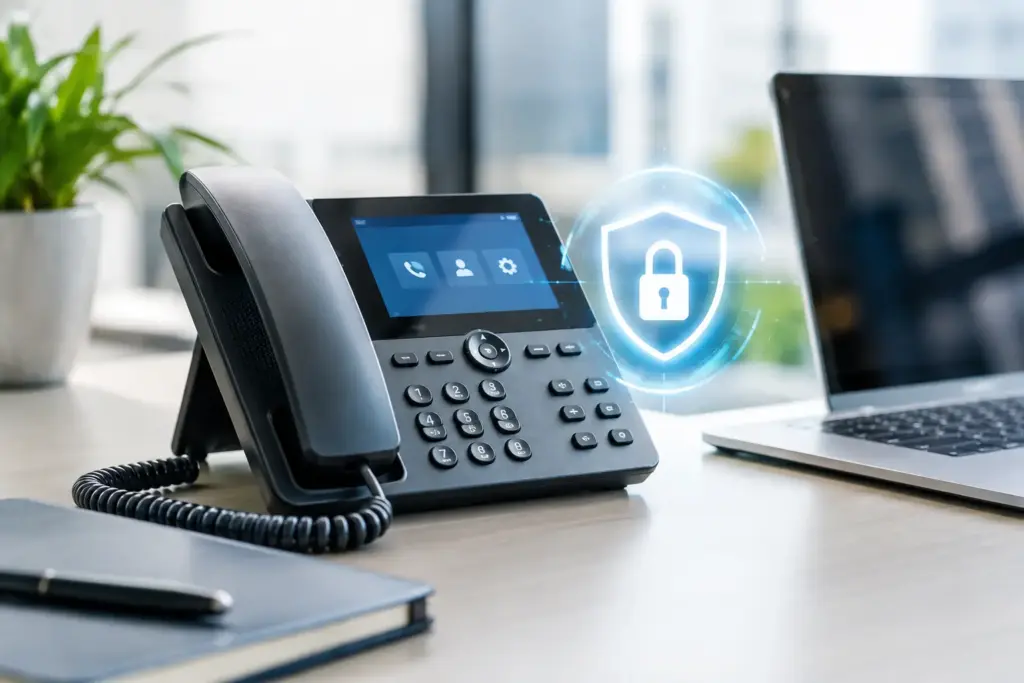
A business phone is no longer just a handset on a desk. It is a network-connected device with credentials, software, remote access, call-routing rules, and often a direct path into your communications platform. Secure VoIP endpoints are what keep that convenience from becoming an easy target for fraud, eavesdropping, account takeover, or a wider network incident.
That matters whether your team uses desk phones in one office, softphones on laptops, mobile apps in the field, or all three. A hosted phone system can reduce the hardware you manage, but it does not eliminate endpoint responsibility. Somebody still needs to decide which devices are allowed, how they are configured, who can administer them, and what happens when one is lost or compromised.
Why secure VoIP endpoints deserve more attention
Phone fraud is not theoretical. Attackers look for poorly protected extensions, exposed web administration pages, reused passwords, and SIP credentials copied into the wrong place. Once inside, they may place expensive international calls, redirect calls to capture customer information, or use a compromised device as a foothold on the local network.
The financial damage can show up quickly. A fraudulent calling campaign can run overnight, outside business hours, and leave a company disputing charges after the fact. The operational damage can be worse: customers call your main number and reach a dead extension, a fake voicemail greeting, or an attacker impersonating your staff.
VoIP security also affects privacy. Voice traffic can contain payment details, health information, legal discussions, employee data, and commercial negotiations. Encryption helps, but only when it is properly configured from the endpoint through the provider platform. A phone system advertised as “secure” tells you very little unless you know how the phones, apps, credentials, and network are being handled.
The endpoint is more than the phone on a desk
An endpoint is any device or application that registers to your phone system or can access its calling functions. That includes IP desk phones, conference phones, analog telephone adapters, mobile apps, desktop softphone clients, and browser-based calling tools. It can also include a receptionist console or a shared device in a warehouse.
Each type carries a different risk profile. A desk phone in a locked office may be low risk physically, but it still needs firmware updates and protected administration access. A softphone on an employee laptop depends on that laptop’s security, patching, disk encryption, and user login practices. A mobile app may be convenient for after-hours service, but a lost phone with an active session needs a quick way to be revoked.
Treating every endpoint exactly the same is not practical. Treating them all as harmless is worse. The right controls depend on the device, the user, the sensitivity of the calls, and whether the endpoint is inside a managed office network or connecting from wherever the employee happens to be working.
Start with identity, not the handset
The most effective security control is making sure every endpoint has a clear identity and only the access it needs. Shared extension passwords, generic administrator accounts, and credentials sent by plain email are shortcuts that create problems later.
Give each user and device unique credentials. If an employee leaves, you should be able to disable that person’s access without breaking a department phone or forcing everyone else to change settings. For administrators, use separate privileged accounts rather than letting daily user credentials control system-wide call routing, recordings, or billing settings.
Multi-factor authentication should protect the management portal and any user portal that can change forwarding rules, voicemail settings, contact information, or softphone access. It may not apply to every physical phone registration method, but it should apply wherever people log in through a browser or application to manage the service.
Password policy needs a practical balance. Long, unique passwords stored in a trusted password manager are more useful than frequent forced changes that encourage people to write passwords on a sticky note. More importantly, remove old accounts promptly. Former staff, unused extensions, retired devices, and old contractor access are all common openings.
Protect calls on the wire and devices on the network
For voice traffic, look for encrypted signaling and media. SIP over TLS helps protect call setup information, while SRTP encrypts the audio stream. Both matter. Encrypting only one part of the conversation leaves unnecessary exposure.
Encryption is not a magic label. Certificates need to be valid, endpoints must support the chosen settings, and the configuration must be consistent. Older phones or bargain hardware may have limited support for current security standards. That does not always mean they must be replaced immediately, but it should factor into a replacement plan rather than being ignored indefinitely.
Your local network matters just as much. Phones should not sit on the same unrestricted network segment as guest Wi-Fi, personal devices, cameras, and every workstation by default. A properly configured voice VLAN separates phone traffic and makes it easier to apply appropriate rules, prioritize call quality, and investigate unusual behavior.
The goal is not to create a maze of firewall rules that nobody can support. The goal is to limit unnecessary paths. A phone generally needs to communicate with approved services, not every device and destination on the internet. Disable web administration access from untrusted networks, change default device passwords, and block remote management unless there is a real operational reason for it.
Remote workers need a different plan
Remote work changes the equation because you do not control every home router, Wi-Fi network, or internet connection. A softphone can work well for remote staff, but it should be paired with managed computers, endpoint protection, regular patching, and clear rules about public Wi-Fi.
A VPN can be appropriate in some environments, particularly where internal resources are involved. It is not automatically the best answer for every voice deployment. Poor VPN design can add latency, complicate voice quality, or create support issues. A provider should assess the call path, security requirements, and user workflow instead of forcing a one-size-fits-all setup.
Keep firmware, provisioning, and administration under control
IP phones are small computers. Like other computers, they receive firmware updates that can address security vulnerabilities and stability problems. Leaving a fleet on old firmware because “the phones still work” is a familiar and expensive mistake.
Use supported hardware from manufacturers with a credible update history. Before buying a low-cost phone model in bulk, ask how long it will receive updates, whether encrypted provisioning is supported, and whether its administration interface can be locked down. The cheapest device can become the most expensive one when it creates recurring support calls or needs an early replacement.
Provisioning deserves attention because it may contain extension credentials, server addresses, and configuration details. Use secure provisioning methods and avoid exposing configuration files where they can be downloaded by anyone who knows where to look. When a device is reassigned, reset it properly and remove its old association from the phone system.
Administrative changes should also be visible. Call forwarding, international dialing permissions, voicemail-to-email settings, and new device registrations are worth logging and reviewing. You do not need a full-time security operations center to notice an extension suddenly forwarding calls overseas or making calls at 3 a.m. You do need alerts that reach someone who will act.
Limit fraud before it becomes a billing dispute
Call permissions are one of the most practical protections available. Not every extension needs international dialing, premium destinations, or unrestricted outbound calling. Give users the dialing rights they need for their role, then review exceptions deliberately.
Set spending or call-volume thresholds where your phone platform supports them. Monitor failed registration attempts, unusual destination patterns, repeated calls outside normal business hours, and large spikes in short-duration calls. A threshold will not stop every incident, but it can shorten the time between attack and response.
It also helps to have an escalation plan before something goes wrong. Decide who can disable an extension, block a calling route, revoke a mobile app session, or contact the provider after hours. If the answer is buried in an old email chain, the plan is not ready.
What to ask your VoIP provider
Good security is shared work. Your provider should be able to explain, in plain language, how it handles encryption, account access, fraud monitoring, backups, incident response, and service administration. If every question gets a vague sales answer, keep asking.
Ask whether technicians are available when there is an actual problem, not just when it is time to renew a contract. Ask who owns the configuration, how quickly suspicious calling can be blocked, and whether you can receive alerting without paying for a pile of features you will never use. At CloudconneXions, this is the kind of conversation that should reach someone who understands SIP, networks, and the operational consequences of a bad configuration.
Secure VoIP endpoints are not built by buying one security feature and checking a box. They come from sensible device choices, controlled access, encrypted traffic, network separation, timely updates, and people who can respond when something looks wrong. Start with your active extensions and devices this week. If you cannot identify who owns each one, what it can call, and how it is managed, you have found the first problem worth fixing.