
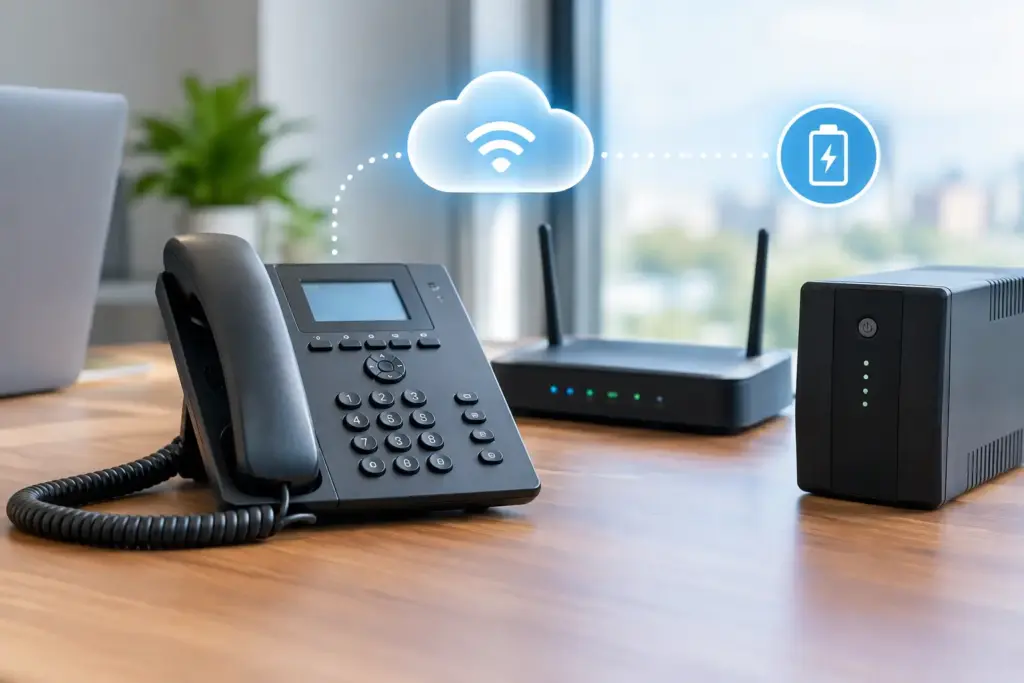
Does VoIP need internet? Yes. A true VoIP phone system sends voice calls over an internet connection, so if that connection fails completely, your desk phones cannot place or receive calls in the usual way. That is the honest answer. The more useful answer is that a well-designed business phone system does not have to leave your staff and customers stranded when one circuit goes down.
For a small business, the question is not whether VoIP uses internet. It is whether your internet, network, and backup plan are good enough to support the way you work. A flaky consumer-grade connection and a bargain router can make any phone platform look bad. Proper business connectivity, traffic management, and call failover make a very different experience.
Does VoIP Need Internet for Every Call?
VoIP stands for Voice over Internet Protocol. Instead of carrying voice on a traditional copper phone line, a VoIP system converts speech into digital packets and sends those packets across an IP network. In most hosted business phone deployments, those packets travel from your office to the provider’s voice platform over the public internet.
That means the internet connection at your office matters. No active connection generally means no registration between your phones and the hosted PBX, no inbound ringing at the desk, and no outbound dialing from that handset.
There are a few exceptions, but they do not change the rule. If two phones are on the same local network and configured for direct local calling, they may still communicate during an internet outage. Some systems also have an on-site gateway that can route calls through analog or cellular service. Those are specialized continuity designs, not a reason to assume VoIP works without connectivity.
Mobile softphones are another practical exception. If your office internet is down but your staff can use a mobile app over cellular data or another Wi-Fi connection, they may still use their business extension. The service still needs internet access somewhere. It just does not need to be the failed office circuit.
Internet Quality Matters More Than Headline Speed
Big telecom ads love one simple number: download speed. For voice, that number is only part of the story. A 1 Gbps connection with packet loss, unstable routing, or an overloaded firewall can produce choppy audio. A modest connection that is stable, monitored, and configured correctly can support a busy office without drama.
VoIP calls need low latency, low jitter, and very little packet loss. Latency is the delay between one person speaking and the other hearing it. Jitter is variation in that delay. Packet loss means pieces of the conversation do not arrive at all. You hear these problems as clipped words, robotic audio, echo, awkward pauses, or calls that drop without warning.
For planning purposes, a high-quality VoIP call often uses roughly 80 to 100 Kbps in each direction once you account for signaling and network overhead. The exact number depends on the audio codec, encryption, and phone configuration. Ten simultaneous calls may therefore need around 1 Mbps of clean upstream and downstream capacity, but buying exactly 1 Mbps would be a bad plan.
Your connection also carries cloud applications, video meetings, backups, security cameras, software updates, and general browsing. Leave room for normal business activity and sudden spikes. More importantly, make sure voice traffic is not competing blindly with a massive cloud backup or a staff member uploading video files.
Why upstream bandwidth gets ignored
Many offices still evaluate connectivity based on download speed because that is how residential service has been sold for years. Business calling is two-way traffic. If the upstream path is saturated, callers on the other end will hear the damage even when websites still load quickly.
Symmetrical fiber is often a strong choice for offices with regular call volume, cloud services, and remote workers. Where fiber is unavailable or a second wired provider is difficult to obtain, fixed wireless can be a sensible primary or backup path. The right answer depends on the building, available carriers, call volume, and the cost of downtime.
What Happens to Calls When the Internet Goes Down?
Without a failover plan, incoming calls may ring unanswered at your office and outbound calls will fail. That is exactly the kind of unpleasant surprise businesses discover after a construction crew cuts a cable, a carrier has a neighborhood outage, or a firewall decides to stop behaving on a Monday morning.
Hosted VoIP gives you options that old phone lines did not make easy. Since the phone number and call routing live in the cloud, incoming calls can be redirected when your main site is unreachable. Calls can go to a mobile number, a backup office, a remote receptionist, a call queue, or voicemail. The best destination depends on who needs to answer and how quickly.
Call forwarding protects inbound calls, but it does not automatically give employees their normal desk-phone experience. If staff need to make outbound calls showing the business caller ID, they need another route into the phone system. That might be a softphone on a laptop using a secondary connection, a mobile app using cellular data, or a temporary workspace with internet access.
The point is not to pretend outages never happen. The point is to decide, before one happens, which functions must continue and which can wait.
Build VoIP Continuity Around Real Business Risk
Not every business needs dual fiber circuits and enterprise-grade edge equipment. A two-person office that receives a few calls daily may be well served by automatic call forwarding and mobile softphones. A medical office, dispatch operation, property management company, or contact center has a different exposure. Missed calls can mean missed appointments, delayed service, lost revenue, or a customer calling a competitor.
A sensible continuity plan usually considers four layers:
- A reliable primary business internet connection sized for calling and normal operations.
- A separate backup path, such as fixed wireless, cable from a different carrier, or cellular failover.
- Automatic inbound call routing to mobile devices, another location, or a designated answering team.
- Power protection for networking gear, phones, and any on-site equipment.
The last item is easy to overlook. If a power outage shuts down the modem, router, switch, and Wi-Fi access points, a backup internet circuit alone does not help. An uninterruptible power supply can keep core equipment running through short outages. For longer events, consider whether cellular apps, remote staff, or a generator-backed location should take over.
Redundancy only works when it is actually separate
Two internet services are not automatically resilient. If both rely on the same building entry point, the same local infrastructure, or the same carrier network, one incident can take out both. Ask direct questions about physical path diversity, carrier ownership, failover behavior, and whether the backup connection has enough capacity for essential calling.
Also test it. Pull the primary connection during a planned maintenance window and see what happens. Do phones re-register? Do inbound calls follow the intended route? Can staff place calls from their apps? Does your team know who is responsible for changing the after-hours message? A backup plan that has never been tested is a brochure, not a continuity strategy.
Your LAN Can Be the Problem, Too
Businesses sometimes blame the phone provider when the real issue is inside the office. Consumer routers, aging switches, poor Wi-Fi coverage, double NAT, and improperly configured firewalls can all interfere with VoIP.
Wired desk phones are usually more predictable than Wi-Fi phones, especially in busy offices. Where Wi-Fi is necessary, it needs adequate coverage, capacity, and interference management. Voice traffic should receive priority through quality-of-service settings where appropriate, but QoS is not magic. It cannot create bandwidth that does not exist or repair a failing internet circuit.
Network segmentation is also worth considering. Putting phones, cameras, guest Wi-Fi, and staff devices on thoughtfully managed networks reduces unnecessary contention and makes troubleshooting faster. When audio quality suddenly degrades, a technician should be able to determine whether the cause is the carrier circuit, the firewall, the switch, the phone, or the remote caller. Scripted support that simply asks you to reboot everything is not a strategy.
Hosted VoIP Is Still a Practical Choice
The fact that VoIP depends on internet is not a weakness unique to phones. Most business tools now depend on connectivity: email, payment terminals, cloud files, scheduling systems, customer relationship platforms, cameras, and remote access. The difference is that a dead phone line is immediately visible to customers.
That visibility is why businesses should treat voice as a priority workload, not just another app. The benefits are substantial when the service is designed properly: flexible extensions, remote work, call queues, voicemail-to-email, easier moves and changes, and the ability to keep a business number active even when people are not sitting at one location.
At CloudconneXions, the useful conversation starts with how your business handles calls when something fails, not with a long contract and a shiny speed-test result. A provider should be willing to discuss the weak points plainly.
Before moving to VoIP, map your critical calls, confirm your internet quality, identify a backup path, and test the routing that will carry you through an outage. Your customers do not care which technology carries the call. They care that someone answers.