
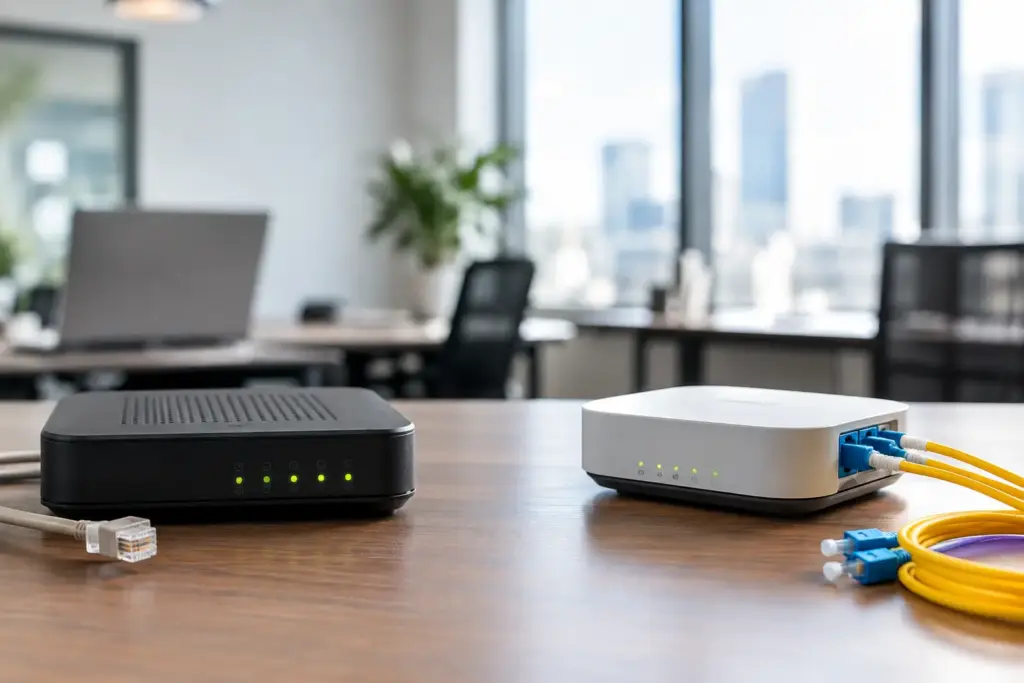
An office can tolerate a slow afternoon. It cannot tolerate dropped calls, stalled cloud applications, failed card transactions, or a team standing around waiting for the internet to return. The DSL versus fiber for offices decision is not really about picking the biggest speed number on a sales sheet. It is about choosing a connection that matches how your business actually works when customers, staff, phones, and cloud services all need it at once.
The big carriers will happily sell whatever happens to be easiest to provision at your address. Ask better questions before you sign anything. A low monthly rate means very little if the connection cannot support your phone system, has a weak upload path, or comes with a repair process that leaves you talking to a script instead of a technician.
DSL versus fiber for offices: the technology gap
DSL delivers internet service over the copper telephone lines already running into many buildings. It was a practical answer when broadband replaced dial-up, and it can still be useful for low-demand sites or as a backup connection. But its performance is tied to the quality and length of the copper loop between the office and the provider’s equipment.
That distance matters. An office close to the provider’s node may receive acceptable DSL performance. A location farther away can see lower speeds, more line errors, and less consistency. Aging building wiring, water exposure, electrical interference, and neighborhood congestion can add more trouble to a connection that was never built for modern cloud-dependent operations.
Fiber uses light through glass strands rather than electrical signals through copper. It carries far more data over much longer distances with less signal loss. Where fiber is available, it usually provides higher speeds, lower latency, and substantially better capacity for offices that depend on hosted applications, large file transfers, video meetings, offsite backup, and business VoIP.
That does not mean every fiber service is identical. Some fiber products are shared among nearby customers, while dedicated fiber is engineered with a committed capacity and stronger service terms. The label fiber is a starting point, not the whole answer.
Speed is only useful when both directions matter
Most DSL services are asymmetric. Download speed is higher than upload speed, sometimes by a wide margin. That made sense when offices mostly downloaded web pages and email attachments. It makes less sense when staff upload documents, synchronize cloud storage, send backup data, host video calls, or work from a shared file platform.
Fiber can offer symmetrical speeds, meaning the upload and download capacity are the same. For a 20-person office, that changes more than a speed test result. It means one employee uploading a large presentation is less likely to choke the connection for everyone else. It also gives IT teams room to run scheduled backups and cloud replication without turning the workday into a traffic jam.
Here is the practical distinction:
| Connection type | Typical office strength | Common limitation | | — | — | — | | DSL | Basic browsing, email, low-demand backup use | Distance-sensitive speed and limited upload capacity | | Shared fiber | Cloud apps, video, VoIP, multi-user offices | Capacity and repair commitments can vary by provider | | Dedicated fiber | Critical operations, larger teams, hosted infrastructure | Higher cost and possible construction lead time |
Do not buy capacity based only on headcount. Look at simultaneous use. Ten people browsing websites are not the same as ten people on video meetings while cloud backups run, CRM data syncs, and a contact center handles calls.
VoIP exposes weak connections quickly
A business phone call does not consume massive bandwidth on its own. The issue is consistency. VoIP needs low latency, low jitter, and minimal packet loss. When the connection is congested or unstable, callers hear delays, clipped audio, metallic voices, or silence. Your staff may call it a phone problem, but the cause is often the internet connection.
DSL can support a small hosted phone deployment if line quality is good, bandwidth is sufficient, and traffic is properly managed. A two- or three-person office with modest internet use may have no reason to panic. But DSL becomes a poor fit when voice traffic competes with cloud applications on a restricted upload path.
Fiber gives VoIP more breathing room, especially when paired with sensible network design. That includes separating voice traffic from guest Wi-Fi where appropriate, using business-grade routers and switches, and applying quality-of-service settings when the network requires it. The connection is only one piece of the system, but it is the piece everything else depends on.
If phones are revenue-critical, ask the provider how it measures packet loss, latency, and jitter. Ask what happens when there is a fault. A vague promise of fast internet is not a service plan.
Reliability is more than an uptime percentage
Fiber is generally less vulnerable than copper to electrical interference and signal degradation. That advantage matters, but no connection is invincible. A construction crew can damage fiber. A power issue can take down equipment. A poorly configured firewall can make a healthy circuit look dead.
The real question is how the provider responds when something fails. Consumer-style support queues and outsourced scripts are a bad match for an office with customers waiting. Look for clear escalation paths, monitoring, realistic repair commitments, and technical staff who can distinguish an internal network problem from a carrier-side outage.
For businesses where downtime is expensive, a second connection is often smarter than trying to buy perfection from one carrier. Fiber as the primary circuit paired with fixed wireless, cable, or DSL as a failover path can keep phones, payment terminals, and essential cloud tools working through a local outage. The backup should use a different physical route or access technology whenever possible. Two services delivered through the same damaged conduit are not true redundancy.
The price comparison needs more honesty
DSL usually wins on the initial monthly price. It may already be available in the building, require little or no construction, and suit a small office with light internet needs. If the alternative is paying a large fiber construction charge for a site that sends a few emails and runs one card terminal, DSL may be a rational short-term choice.
Fiber costs more because the infrastructure costs more, particularly when service must be extended to a building. Yet the cheapest connection can become expensive when staff lose time to slow cloud access, calls fail during busy periods, or a long outage interrupts sales. Calculate the cost of interruption, not just the cost per month.
Also read the commercial terms. Some providers advertise an attractive rate, then attach long commitments, steep early termination fees, equipment charges, installation surprises, or broad language around repair targets. A business connection should come with a plain explanation of what is included, what happens during an outage, and what it costs to leave if the service does not perform.
Availability may decide the issue
Fiber availability is not universal, even in dense commercial areas. One side of a street may have multiple fiber options while the building across the road has none. Older office complexes, multi-tenant buildings, industrial units, and rural locations can each have different barriers, from landlord permissions to missing conduit space.
Do not accept a sales representative’s quick statement that fiber is unavailable as the final answer. Ask whether the address has existing service, whether a site survey is possible, whether construction is required, and whether a dedicated option differs from the standard shared service. The answer may still be no, but it should be a real technical answer.
In the Greater Toronto Area, many businesses also have a practical third option: fixed wireless. It can provide a fast deployment path or a valuable backup where wired fiber is delayed or unavailable. It is not a substitute for fiber in every situation, especially where clear line-of-sight or heavy-capacity requirements are involved, but it can prevent an office move from becoming an internet crisis.
Choose based on the office you are running next year
DSL makes sense when the office is small, connectivity needs are light, the budget is tight, and the service is verified to perform well at the address. It can also serve as a diverse backup circuit. Treat it as a measured decision, not a default because the carrier says it is good enough.
Fiber is usually the stronger primary choice for offices using hosted PBX, cloud software, video collaboration, offsite backup, security cameras, large uploads, or hybrid work tools. It is also the safer choice for a business that expects to add staff, move more systems to the cloud, or rely on its internet connection as a core operating utility.
Before approving an order, have a technician review your current usage, voice requirements, building conditions, failover needs, and growth plans. CloudconneXions approaches connectivity this way because a connection that merely turns on is not the same as one that supports the business when the pressure is on.
The right circuit is the one your team stops thinking about. Get the facts for your address, insist on clear support and contract terms, and build a backup plan before the first outage forces the conversation.