
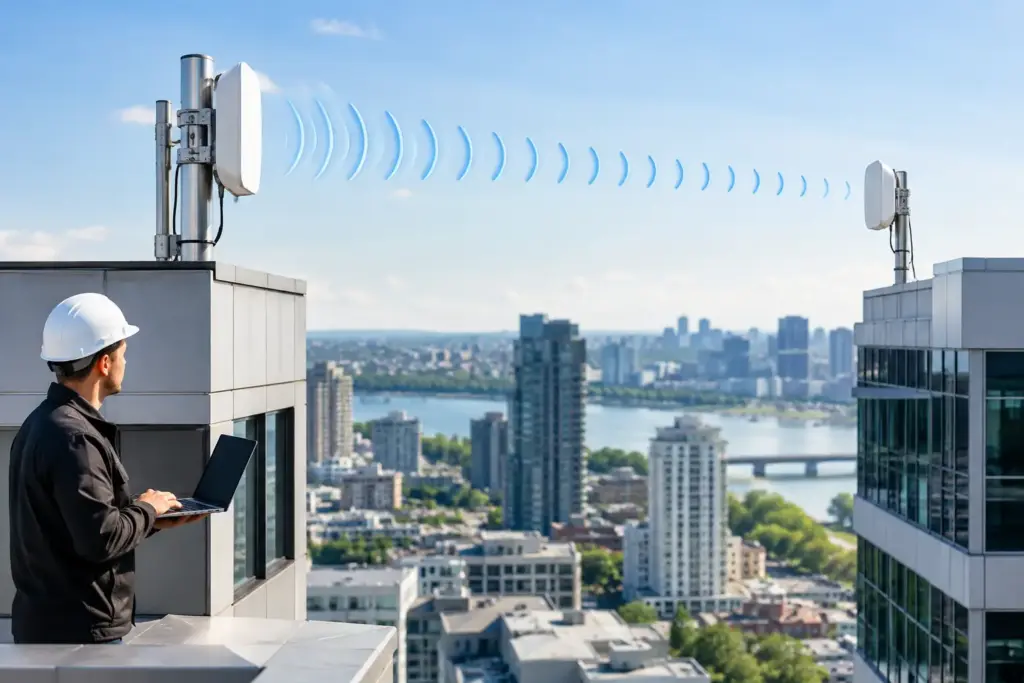
A second building should not force you into a second carrier contract, a trenching project, or a pile of unmanaged workarounds. A properly designed building to building wireless bridge can extend your network across a parking lot, campus, yard, or public right-of-way with business-grade performance. The catch is that wireless links are not magic. The difference between a dependable connection and a recurring trouble ticket is planning.
For offices, warehouses, clinics, retail sites, and multi-building properties, a wireless bridge can carry internet access, hosted phone traffic, security cameras, Wi-Fi, and private network services between locations. But it has to be treated as core infrastructure, not a pair of consumer Wi-Fi devices pointed out a window.
What a Building to Building Wireless Bridge Actually Does
A point-to-point wireless bridge uses two purpose-built radios, one mounted at each location. They create a dedicated connection between the buildings, effectively extending the local network without running a physical cable the entire distance.
That connection can support several practical jobs. A main office with a strong fiber or fixed-wireless internet circuit can extend service to a nearby warehouse. A detached building can share the same hosted PBX system, file resources, and security platform. Cameras at a gate or remote lot can return video to the recording server without relying on cellular data.
The bridge itself is not internet service. It is the transport between two points. If the primary building loses its internet connection, the second building will lose outside connectivity too unless you have a separate backup path. That distinction matters when someone promises that a wireless bridge will solve every connectivity problem. It will not. It solves the problem of getting a reliable network from Point A to Point B.
Start With the Site, Not the Hardware
The first question is simple: can the two radio locations see each other clearly? A direct line of sight is the foundation of a dependable wireless link. That does not just mean you can see the other roof on a sunny day. Trees, rooflines, signs, cranes, new construction, and even seasonal foliage can interfere with the signal path.
There is also the Fresnel zone, the open space around the direct signal path that wireless equipment needs to perform well. A link can appear to have line of sight but still suffer weak speeds or intermittent drops because a roof edge or tree canopy intrudes into that zone. This is why a real site survey beats a sales guess based on a map.
Mounting height is often the practical answer, but higher is not automatically better. The equipment needs a stable mounting point, safe access for installation and service, proper grounding, and a cable route back into the network room. A roof installation may also require landlord approval, structural review, or local permitting. Those details should be resolved before equipment is ordered, not after a crew arrives.
Distance matters, but it is not the only factor. A short link with blocked sight lines can be worse than a longer, clean path. Heavy RF congestion can also affect a link in dense commercial areas. A professional design considers the distance, elevation, competing wireless signals, required capacity, and the consequences of downtime.
Do Not Plan Around Best-Case Speeds
Radio manufacturers advertise maximum throughput under ideal conditions. Your business should plan around the speed that can be sustained with weather variation, normal interference, protocol overhead, and traffic growth.
If the remote building needs a few workstations, VoIP phones, access control, and basic camera coverage, the capacity target is different than a warehouse moving large files while sending dozens of high-resolution camera streams. Camera traffic is especially easy to underestimate. A handful of cameras may work fine at first, then consume the link when retention settings change, more cameras are added, or someone begins reviewing footage remotely.
Ask what must continue working during the busiest hour, not what works during a quick speed test. That includes voice calls, payment terminals, cloud applications, video surveillance, guest Wi-Fi, and data backups. The answer determines the right radio class and whether traffic needs to be segmented or prioritized.
Design the Network Behind the Bridge
A bridge should be part of a deliberate network design. It should not turn two buildings into one uncontrolled broadcast domain because that was easier to configure.
For many businesses, VLANs are the cleanest approach. Staff devices, voice systems, cameras, access control, guest Wi-Fi, and building-management equipment can travel across the same bridge while remaining logically separated. This reduces risk and makes troubleshooting far less painful. A camera issue should not bring down business phones, and guest traffic should never have a path into finance systems.
Voice traffic deserves special attention. Hosted PBX and VoIP calls do not require massive bandwidth, but they do require consistent latency, low jitter, and sensible quality-of-service rules. If large file transfers or camera uploads are allowed to monopolize the bridge, call quality will suffer first. That is not a phone-system failure. It is a network design failure.
The remote site also needs proper switching, power protection, and a plan for outages. Most bridge radios use Power over Ethernet, which keeps installation tidy but makes the switch or injector a critical dependency. A UPS can keep the network equipment and radios operating through short power interruptions. For sites where downtime costs real money, consider a secondary internet connection or cellular failover at the remote building.
Reliability Means More Than a Signal Reading
A bridge can be very reliable, but no outdoor connection is immune to physical problems. Wind can shift a poorly secured mount. Ice, water intrusion, lightning damage, rodents, and failed power equipment can take down a link that looked perfect on installation day.
The right installation includes weather-rated cabling, drip loops, surge protection, grounding, sealed entry points, and equipment mounted where it can be serviced without improvisation. These are not glamorous line items, which is exactly why they get skipped in bargain quotes. Then the first storm turns a cheap project into an expensive emergency call.
Monitoring matters just as much. A managed bridge should provide visibility into signal strength, capacity usage, radio health, packet loss, and uptime. If the link begins degrading, the goal is to identify it before users start reporting dropped calls or frozen video. A provider that actually answers the phone should also be able to explain whether the problem is the bridge, the internet circuit, the firewall, local switching, or the application itself.
When Wireless Is the Right Answer and When It Is Not
Wireless is often the best option when trenching fiber is expensive, disruptive, or impossible. It is particularly useful across private property, between nearby leased units, or in industrial settings where running cable means cutting pavement, crossing drive lanes, or coordinating with multiple parties.
It is not always the right answer. If you need guaranteed multi-gigabit capacity, have no viable line of sight, or are crossing a complex public corridor, fiber may be the better long-term choice. If the remote site is far enough away that terrain, weather exposure, or permitting becomes complicated, a separate internet circuit with secure connectivity between sites may be more practical.
There is also a financial trade-off. A bridge can avoid recurring carrier costs at the second building, but it requires upfront design, installation, and maintenance. Compare that investment against construction costs, monthly service fees, contract terms, expected growth, and the cost of downtime. The cheapest monthly quote is not necessarily the lowest-cost solution once you account for poor support and repeated outages.
Questions to Ask Before You Approve the Project
Before committing to a building to building wireless bridge, get direct answers about the proposed path, expected usable throughput, mounting method, weather protection, and who owns the equipment. Ask how voice and camera traffic will be handled, how the link will be monitored, and what happens when a radio or power component fails.
You should also ask whether the quote includes the unglamorous essentials: cabling, grounding, surge protection, network configuration, testing, documentation, and post-install support. If the answer is vague, expect the project scope to become vague too.
CloudconneXions designs connectivity around the way a business actually operates, including phones, wireless links, security, backup, and the network pieces that make them work together. That means telling you when a bridge is the sensible move and when another approach will serve you better.
A good wireless bridge should disappear into the background. Your team should be able to make calls, access systems, and review cameras without thinking about the building in between. Get the site survey and network design right first, and that is exactly what happens.