
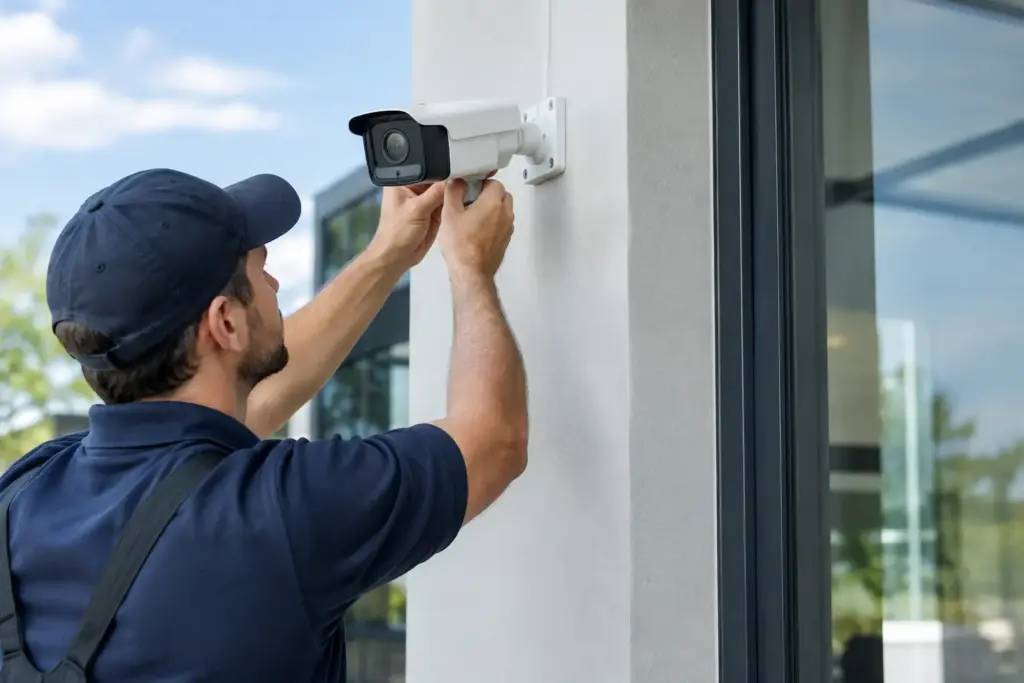
A camera that records a blank loading screen, misses the loading dock, or becomes unreachable after a power outage is not security. It is expensive wall decoration. A business security camera system installation should give you usable evidence, real-time visibility, and a system your team can operate without calling a different vendor for every problem.
For small and midsize businesses, the hard part is rarely buying cameras. The hard part is making sensible decisions before equipment is mounted: what needs to be seen, how long footage must be retained, whether the network can carry the traffic, and who is accountable when the system stops working. Big carriers and national security firms are happy to sell a package. Getting straight answers about those details is another matter.
Start With the Risks, Not the Camera Catalog
A good design begins with the events you need to investigate or prevent. A retail store may need clear facial detail at entrances, point-of-sale areas, stock rooms, and rear exits. A warehouse may care more about loading bays, vehicle gates, perimeter approaches, and after-hours movement. An office may need coverage of reception, server rooms, and restricted access points without turning every employee workspace into a surveillance zone.
Walk the property at the time of day when risk is highest. Look at glare from glass doors, shadows around exterior walls, headlight wash in parking areas, and how far a person or license plate will be from the proposed camera. A wide-angle camera can cover a large area, but it may not capture enough detail to identify someone across the room. A tighter view delivers more detail but covers less ground. There is no universal camera count that works for every building.
Also decide what “usable footage” means for your operation. Seeing that a person entered a room is different from being able to identify them. Reading a license plate is different again. Those requirements affect camera resolution, lens selection, lighting, placement, and storage. Skipping this conversation is how businesses end up buying more cameras later to fix gaps that were predictable from day one.
Business Security Camera System Installation Needs a Network Plan
Security cameras are IT equipment. Treat them that way.
Modern IP cameras send continuous video across your network, often over Power over Ethernet, or PoE. That is convenient because one cable can carry both power and data, but it does not make capacity planning optional. A dozen high-resolution cameras recording around the clock can consume meaningful bandwidth and storage. Add remote viewing, cloud backup, video analytics, or multiple sites, and a poorly planned network can become slow exactly when staff need it most.
A properly designed installation separates camera traffic from ordinary business traffic where appropriate. It accounts for switch capacity, PoE power budgets, cabling runs, recording-server placement, internet upload speed, and remote access controls. If your internet connection is shared with phones, point-of-sale systems, guest Wi-Fi, and cloud applications, the camera design should protect those services rather than compete with them.
Do not accept vague claims that a system “works over Wi-Fi” without asking how it performs under load. Wireless cameras can be useful in locations where running cable is impractical, but wired connections are generally more predictable for fixed, business-critical coverage. The trade-off is installation cost and physical access for cabling. In many cases, a mix of wired cameras for primary coverage and wireless units for difficult locations is the sensible answer.
Power planning matters too. A camera system needs an uninterruptible power supply for core network equipment and recording hardware if you expect it to keep working through short outages. For longer outages, consider how backup power, internet service, and remote monitoring will behave. Recording locally is useful, but it does not help much if the recorder is stolen, damaged, or loses power.
Choose Storage Based on Evidence, Not Marketing
“Thirty days of retention” sounds simple until you ask: thirty days at what resolution, frame rate, motion setting, and number of cameras? Storage estimates change quickly based on recording settings and activity levels. A busy entrance with continuous recording has different needs than a quiet mechanical room using motion-triggered clips.
Local network video recorders can provide fast access and predictable ongoing costs. Cloud-managed video can reduce on-site hardware and make multi-location access easier. Hybrid setups keep a local copy while sending selected footage or backups off-site. Each approach has a place, but none is automatically best.
The practical question is what happens after an incident. Can an authorized manager find a clip quickly? Can the footage be exported in a usable format? Is there an audit trail showing who accessed it? Does the system preserve video when a camera briefly loses network connection? These details matter more than a glossy feature list.
Retention policy should also match legal, contractual, and privacy obligations. Avoid recording areas where people reasonably expect privacy, such as washrooms or changing areas. Limit access to footage, use individual accounts instead of shared passwords, and establish a clear process for reviewing and releasing video. More surveillance is not always better security.
Installation Quality Shows Up Months Later
Mounting a camera is the visible part of the job. The less visible work determines whether it holds up.
Cables should be protected, labeled, tested, and routed with maintenance in mind. Exterior cameras need weather-appropriate housings and mounting points that resist vibration. A camera aimed perfectly on installation day can become less useful after a sign goes up, a shelf is moved, landscaping grows, or a new delivery truck blocks the view. Documenting camera locations, names, network settings, and coverage zones makes future changes far less painful.
During commissioning, test footage in daylight and darkness. Test motion alerts without creating a notification storm. Confirm timestamps are accurate. Check that authorized users can view the right cameras from the devices they actually use, while unauthorized users cannot. Test the system after a router restart and simulate a camera outage. If nobody tests failure conditions, nobody really knows whether the system is ready.
CloudconneXions approaches physical security as part of the wider business technology environment. Cameras, internet connectivity, power, remote access, and support ownership should fit together. When vendors point fingers at each other, the customer loses time. A provider that understands both the network and the camera system can diagnose the actual problem instead of reading from a script.
Build Security Into Daily Operations
A camera system is not set-and-forget. Someone should own basic checks: are all cameras online, is storage healthy, are alerts reaching the right people, and have former employees been removed from access? Monthly spot checks are usually enough for smaller sites, while higher-risk operations may need more frequent review.
Cybersecurity belongs in that routine. Change default credentials, enable multi-factor authentication when available, apply firmware updates through a controlled process, and avoid exposing recorders directly to the public internet. Remote viewing should be convenient, but convenience without access controls creates another entry point for criminals.
It also helps to define how footage will be used before an incident happens. Decide who can request video, who approves exports, where clips are stored, and when they are deleted. That prevents a stressful incident from turning into an argument over passwords, ownership, or missing footage.
The right system does not need to be oversized or loaded with features nobody will use. It needs to see the right places, retain the right evidence, stay available when conditions are less than perfect, and come with technical support that answers when there is a real problem. Start with your risks, insist on a network and storage plan, and make sure the person selling the system is still accountable after the ladders are gone.