
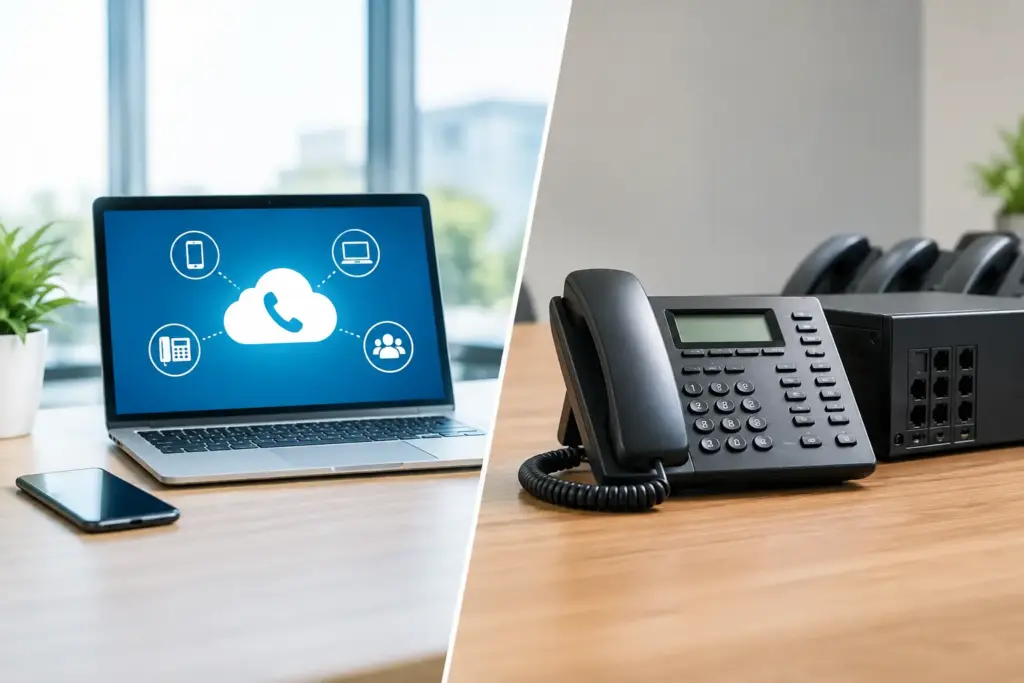
A phone system becomes visible only when it gets in the way: a receptionist cannot transfer a call, a technician working offsite has to use a personal cell number, or an office move turns into an expensive wiring project. The real question in a cloud PBX versus key system decision is not which technology has more features. It is whether your phone setup supports how your business actually operates now and where it is headed next.
For many small and midsize businesses, a traditional key system once made perfect sense. It was familiar, local, and built around a single office. But that model starts showing its age when teams work across locations, need better call handling, or simply want a provider that answers with a technician instead of a ticket number and a script.
What a key system does well – and where it stops
A key system is the traditional office phone arrangement many businesses recognize. Each desk phone has line buttons, usually tied to specific incoming phone lines. Staff can see which lines are in use, put calls on hold, and pick them up from another extension. In a small, stable office with a handful of people, it can be straightforward.
The issue is not that key systems are automatically bad. The issue is that they were designed for a different operating model. Their value is tied to physical equipment, on-premises wiring, and a fixed location. Adding users, moving desks, opening a second site, or changing call flows can mean service visits, hardware decisions, and more money spent preserving an aging setup.
A key system can still be reasonable when an organization has one location, low call volume, no remote staff, and equipment that is functioning reliably. A small storefront that only needs two or three shared lines may not need a major communications platform. Replacing working gear just because something newer exists is not always smart.
But a key system becomes a costly comfort zone when it forces people to work around it. If callers regularly hit voicemail because staff are away from their desks, or if every change requires a technician to touch the office, the system is no longer serving the business.
How cloud PBX changes the model
A cloud PBX moves the phone system’s call control from a box in your office to provider-managed infrastructure. Your desk phones, softphone apps, and mobile devices connect over your business internet connection. Extensions, auto attendants, call queues, voicemail, and routing rules are managed centrally rather than through a closet full of phone hardware.
That matters because an extension no longer belongs to a desk. It belongs to a person or function. A sales employee can answer their business extension from a desk phone in the office, an app at home, or a mobile device while visiting a customer. A main number can route calls based on business hours, department, caller choices, or backup rules without someone physically moving cables.
Cloud PBX also makes multi-location operations far less awkward. A Markham office, a warehouse, and a remote employee can operate under the same company directory and dial plan. Customers call one main number. Employees transfer calls as if they were in the same building. That is a practical improvement, not a flashy feature checklist.
It also reduces the risk of buying too much capacity too early. Instead of purchasing an on-premises phone system sized for a future headcount, businesses can generally add or remove users as needs change. The details vary by provider, so ask about licensing, porting, hardware costs, and whether you are being pushed into a long contract disguised as a discount.
Cloud PBX versus key system: compare the real costs
The sticker price is where many phone decisions go wrong. A key system may look cheaper because the equipment is already paid for. A cloud PBX may look more expensive because it appears as a monthly per-user service. Neither view tells the full story.
With a key system, costs often arrive in bursts: replacement handsets, cards, line maintenance, service calls, office moves, cabling, and specialized technicians who still support the platform. If the system fails, you may be dealing with old equipment, limited parts availability, and a provider more interested in selling a forced replacement than explaining your choices.
With cloud PBX, recurring costs are easier to see, but they need to be examined carefully. Ask whether the monthly price includes voicemail, auto attendants, call queues, mobile apps, support, number porting, and maintenance. Ask what happens when you add a user, cancel a user, or need help after hours. Low advertised pricing means little if basic business functions are add-ons or support disappears when the call is complicated.
The larger financial question is operational. How much does a missed call cost? How much time does your office manager spend chasing phone changes? How much revenue is at risk if staff cannot work when an office is inaccessible? A cheaper phone system is not cheap if it creates avoidable downtime or makes customers work too hard to reach you.
Reliability depends on the whole connection
Here is the honest trade-off: a cloud PBX depends on internet connectivity. A key system using traditional phone lines may continue operating during an internet outage, while cloud calling at the affected site can be disrupted. Any provider claiming otherwise is selling a fairy tale.
The answer is not to avoid cloud voice. The answer is to design for failure. Businesses that rely heavily on phones should use a stable, business-grade connection, properly configured network equipment, and sensible backup options. That can include secondary internet, fixed wireless failover, battery backup for networking gear, and call forwarding rules that route calls to mobile devices or another location if a site goes offline.
A well-planned cloud PBX can actually improve business continuity. If a building loses connectivity or becomes inaccessible, the phone number does not have to disappear with it. Calls can be redirected to another office, a remote team, or a temporary answering group. With a key system, the physical office is often the center of gravity. With cloud PBX, the people and call rules can move.
Call quality also depends on network discipline. Voice traffic needs adequate bandwidth, stable latency, and proper prioritization. A provider that understands both business internet and hosted voice is in a better position to diagnose whether a problem sits with the phone, local network, Wi-Fi, router, or upstream connection. Passing the blame between separate vendors is not support.
The operational features that usually tip the decision
Most businesses do not need every unified communications feature available. They do need the basics to work without friction. Cloud PBX is usually the stronger choice when you need professional call routing, department queues, time-of-day rules, voicemail-to-email, call recording where appropriate, remote extensions, or the ability to manage calls from a mobile app.
Think about the receptionist who needs to see who is available, the service department that needs calls distributed fairly, and the owner who wants a customer to reach a live person after hours. These are ordinary requirements. A cloud platform handles them more cleanly than asking staff to memorize line buttons and manually forward calls whenever someone is away.
For customer-facing teams, visibility matters too. Call reporting can show volume, missed calls, wait times, and peak periods. That data should be used to improve staffing and response, not to bury managers in dashboards. If you cannot see whether calls are being answered, you cannot fix the customer experience.
Questions to ask before replacing anything
Before choosing a system, map out your current call flow. Identify your main numbers, departments, after-hours requirements, remote workers, analog devices such as fax machines or door entry systems, and any compliance or call-recording needs. This prevents the classic mistake of replacing phones without planning how customers actually reach the right person.
Then ask providers direct questions. Who handles support when calls fail? Is it a trained technical team or a general help desk? What is included in the monthly cost? What redundancy exists in the hosted platform? Can calls fail over during an internet outage? Are you locked into a term that makes leaving painful? If the answers are vague, keep asking.
CloudconneXions has worked in VoIP since 2005, and the right recommendation is not always a wholesale rip-and-replace. Sometimes a phased move makes more sense. Keep what is working, fix the weak points, and move the business toward a phone system that is easier to support and harder to outgrow.
Your phones should not dictate where your people can work or how quickly your business can respond. Choose the setup that lets customers reach a real person, lets your team adapt when plans change, and gives you a technical partner who is still there when something breaks.