
A slow upload at 10:15 a.m. can do more damage than a slow download at home. It can stall a cloud backup, make a customer call sound rough, delay a large design file, and leave staff blaming applications that are not actually the problem. That is why fiber versus cable internet is a business decision, not a speed-test contest.
Both can support a productive office. Both can be sold with impressive download numbers. But the network behind those numbers, the consistency of the connection, and the support available when it fails can be very different. For a small business running cloud software, VoIP phones, cameras, remote access, and backups, those differences deserve a closer look.
Fiber versus cable internet: the real difference
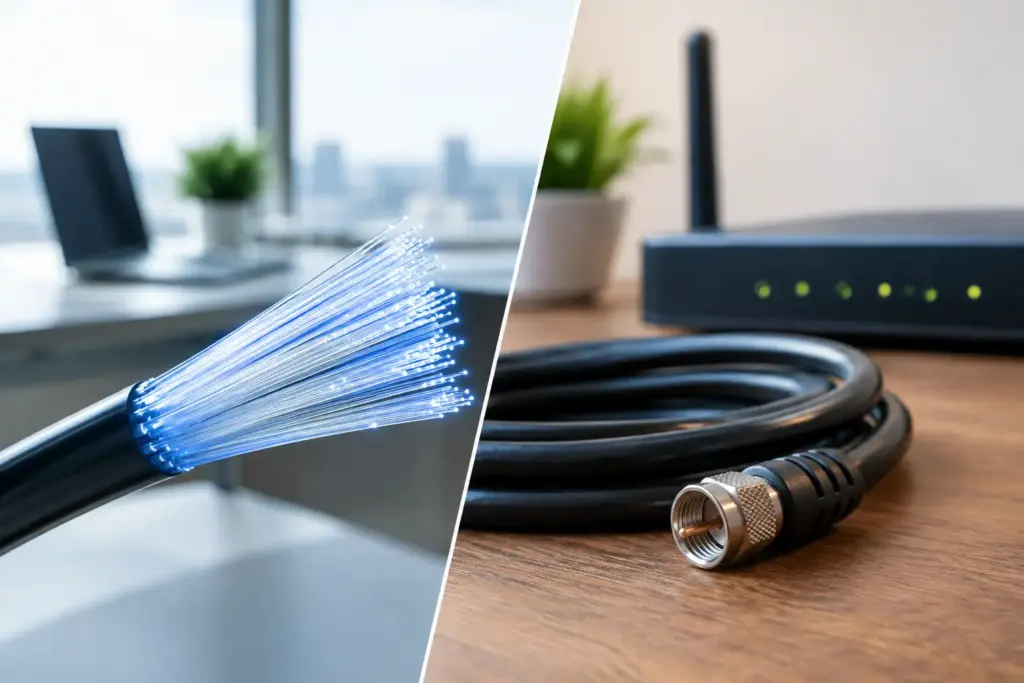
Fiber internet carries data as light through strands of glass. Cable internet generally uses coaxial cable for the last part of the connection, often on a network originally built for television service. Cable providers may use fiber throughout much of their network, but the final connection to your building is what shapes many day-to-day performance differences.
Fiber is built for high capacity in both directions. This commonly means symmetrical service, where upload and download speeds are the same. A 500 Mbps fiber circuit may deliver 500 Mbps down and 500 Mbps up.
Cable plans usually prioritize download speed. A plan advertised at 1 Gbps download may provide a much smaller upload rate, sometimes 20, 50, or 100 Mbps depending on the provider and local network. That may be perfectly acceptable for light office use. It becomes a constraint when a team sends large files, relies on cloud backups, hosts video meetings, or runs phone systems over the same connection.
The headline speed matters, but it is not the whole story. A business should also ask about latency, jitter, packet loss, service-level commitments, restoration process, and whether bandwidth is shared with nearby users.
Why uploads now matter as much as downloads
For years, internet shopping was simple: buy the fastest download package your budget allowed. That logic is outdated for many businesses.
Your office uploads more than it used to. Every video call sends your image and audio upstream. Every cloud backup pushes data out. Security cameras may send footage to off-site storage. Teams working in Microsoft 365, Google Workspace, cloud accounting platforms, CRM systems, and hosted servers are constantly exchanging data in both directions.
VoIP is especially sensitive to connection quality. It does not need massive bandwidth per call, but it needs stable bandwidth. High jitter or packet loss can turn a normal conversation into clipped audio, delays, echoes, and awkward interruptions. Throwing more download speed at that problem does not fix it.
Fiber’s symmetrical capacity and typically lower latency give it an advantage for offices that depend on hosted communications or frequent cloud activity. That does not mean cable is automatically unsuitable. It means the right question is: what is happening upstream during your busiest hour?
The shared-network question
Cable service can be a smart value option, particularly for smaller offices with modest cloud use. But many cable connections use shared neighborhood infrastructure. When local demand rises, performance can vary. Modern cable networks have improved significantly, and poor performance is not guaranteed. Still, the shared nature of the network is a factor worth understanding.
Dedicated fiber is different. It is typically engineered as a business-grade circuit with capacity assigned specifically to your location. The price is higher, but so is the predictability. For organizations where internet downtime means missed orders, idle staff, unavailable phones, or failed transactions, predictability has a dollar value.
There is also a middle ground. Some locations can receive fiber-based business internet that is not fully dedicated, while others may have cable or fixed wireless as the practical option. Availability is intensely location-specific. Two buildings across the street from each other can have completely different choices.
Do not accept “fiber available” as a complete answer. Ask whether it is fiber to the premises, whether service is dedicated or shared, what upload speed is included, and what happens when there is an outage.
When cable internet is the sensible choice
Cable is not the villain in this comparison. It is often widely available, quick to install, and less expensive than dedicated fiber. For a small office with a few users, web-based tools, occasional video calls, and no mission-critical need for guaranteed uptime, a quality cable connection can be entirely reasonable.
It can also make an excellent secondary connection. A business may use fiber as its primary circuit and cable as an automatic failover path. Because the two services use different last-mile technologies, that setup can provide better resilience than buying two circuits that depend on the same physical route.
Cable may be the right starting point if your budget is tight and your operational risk is low. Just avoid signing a long agreement based only on an advertised download number. Review the upload rate, modem or gateway capabilities, support process, and any limits that could affect business use.
When fiber is worth paying for
Fiber becomes easier to justify when an interruption has real consequences. A medical office, legal practice, warehouse, contact center, engineering firm, financial office, multi-site business, or busy professional-services team can lose far more from a bad connection than it saves on a lower monthly bill.
Fiber is particularly well suited to businesses that need consistent cloud backups, large-file transfers, hosted PBX service, remote desktop access, multiple HD video meetings, off-site camera monitoring, or public-facing online systems. It also gives a growing business more room to add people, applications, and locations without redesigning connectivity every year.
The strongest case for fiber is not “we want faster internet.” It is “our operations cannot pause because the internet got congested, the upload saturated, or support sent us through a consumer troubleshooting script.”
That is where business-grade service matters. A provider should be able to explain the circuit type in plain language, identify the demarcation point, monitor the service, and own the escalation when something goes wrong. If getting help means repeating your account number to three departments, the low price was never the full cost.
Do not treat one connection as a continuity plan
Fiber is reliable, but no single connection is invincible. Construction damage, power failures, equipment faults, and upstream carrier problems can affect any technology. Businesses that depend on internet-based phones, payment terminals, cloud applications, or remote staff should plan for failure rather than hoping it does not happen.
A practical setup may pair a primary fiber circuit with cable, fixed wireless, or cellular backup. The best choice depends on what paths and carriers serve the property. A backup that enters the building through the same conduit and relies on the same upstream equipment may not protect you from the outage you actually experience.
Failover also needs testing. A backup circuit that has never been tested is not business continuity. Confirm that phones, firewalls, VPNs, payment systems, and critical applications behave properly when the primary connection drops. Then test it again after major network changes.
Questions to ask before you sign
Before choosing fiber or cable, ask the provider to answer a few direct questions. What are the guaranteed or typical upload and download speeds? Is the service dedicated, shared, or best-effort? What are the expected latency and packet-loss targets? Is there a service-level agreement, and what does it actually cover? Who answers after hours, and who owns the ticket until it is resolved?
Also ask about installation timing and building access. Fiber construction can require landlord approval, pathway work, or building management coordination. Cable may install faster, but that advantage disappears if the service cannot support your workload. A good provider will tell you where the trade-offs are instead of forcing every business into the same package.
CloudconneXions works with businesses that want a straight answer, not a carrier sales pitch. The right connection may be fiber, cable, fixed wireless, or a layered combination. What matters is matching the service to the work your team performs and building a backup plan before an outage makes the decision for you.
The best internet connection is the one your staff never have to think about. Choose the technology that supports your busiest day, protects your critical services, and comes with people who answer when it stops working.